
.png)

Description
Download Deseat.me – Secure Online Account Cleanup Tool
Overview: Take Control of Your Digital Footprint
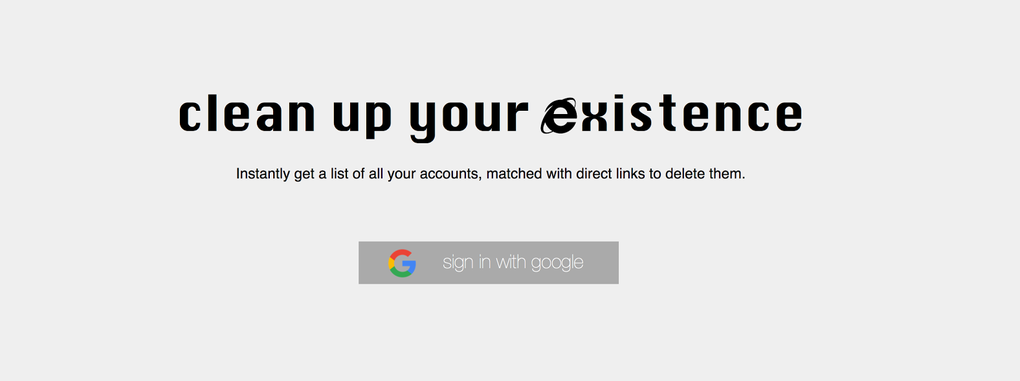
In today’s hyper‑connected world, it’s easy to lose track of the countless online services, newsletters, and subscription sites you’ve signed up for over the years. Every new account leaves a digital trace, and many of those traces linger long after you’ve stopped using the service. Deseat.me is a free, web‑based utility designed to bring clarity to that chaos. By scanning your Outlook or Google email inbox, Deseat.me builds a comprehensive list of every account that ever referenced your email address. The tool then supplies direct links to each service’s account‑deletion or de‑activation page, turning a months‑long scavenger hunt into a single, manageable “to‑do” list. The service respects privacy by leveraging Google’s OAuth 2.0 protocol, which means your login credentials never leave your browser or get stored on Deseat.me’s servers. While the platform does not delete accounts automatically, it dramatically reduces the friction involved in cleaning up your online presence, making it an essential ally for anyone serious about data hygiene, privacy compliance, or simply decluttering their digital life.
Key Features That Make Deseat.me Stand Out
- Email‑Based Account Discovery: Connect either your Outlook or Google account, and Deseat.me scans every incoming and outgoing message to locate service‑specific account creation or subscription notices.
- Secure OAuth 2.0 Authentication: By using Google’s industry‑standard OAuth flow, Deseat.me never sees or stores your password, ensuring a secure, read‑only connection to your inbox.
- Direct Deletion Links: For each identified service, the platform provides a clickable link that takes you straight to the official account deletion or de‑activation page, saving you time and clicks.
- Customizable “Keep” or “Delete” Queue: After the scan, you can sort accounts into a keep list or a delete queue, allowing you to prioritize which services you want to retire first.
- Exportable Reports: Export your findings to CSV or PDF for offline review, compliance audits, or sharing with a team responsible for data privacy.
- Cross‑Platform Compatibility: As a browser‑based tool, Deseat.me works on Windows, macOS, Linux, Android, and iOS without the need for additional installations.
- Regular Updates & Community Support: The development team releases frequent updates to improve detection algorithms and adds support for new service patterns as they emerge.
Step‑by‑Step Installation & Usage Guide
1. Access the Web Application
Open your preferred browser (Chrome, Firefox, Edge, Safari, or any mobile browser) and navigate to https://deseat.me. Because Deseat.me is a cloud‑hosted service, there is no software to download or install—simply load the site and you’re ready to begin.
2. Choose Your Email Provider
On the landing page, you’ll see two prominent buttons: “Connect Outlook” and “Connect Google”. Click the button that matches the email service where most of your subscriptions reside. If you use both, you can run the scan twice—once for each account—to ensure full coverage.
3. Grant Secure OAuth Permission
After clicking your provider, a secure OAuth window appears. This window asks for read‑only permission to view your email metadata (subject lines, sender addresses, and message timestamps). Review the permissions and click “Allow”. Remember, Deseat.me never requests write access, so your passwords remain private.
4. Let the Scan Run
The service now scans your mailbox for typical account‑creation patterns such as “Welcome to…”, “Confirm your email”, or “Your subscription is active”. Depending on the size of your inbox, the scan can take anywhere from a few seconds to a couple of minutes. Progress is displayed in real time, and you can cancel at any point if needed.
5. Review the Generated List
When the scan finishes, Deseat.me presents a clean, sortable table. Each row includes the service name, the email address used, the date of the original message, and a direct “Delete” link. Use the built‑in filters to search by service name or date, and tick the checkboxes next to accounts you want to keep or delete.
6. Build Your Deletion Queue
Move unwanted accounts into the “Delete Queue”. You can export this queue as a CSV file for offline tracking or open each “Delete” link in a new tab. The links take you directly to the service’s official account removal page, where you can follow the provider’s specific steps to complete the deletion.
7. Optional: Export Your Report
For compliance officers or privacy‑focused users, the “Export Report” button creates a PDF or CSV file summarizing all discovered accounts, timestamps, and your chosen actions (keep or delete). This document can serve as evidence of a data‑minimization effort in GDPR or CCPA audits.
8. Repeat as Needed
Because new services are added regularly, schedule a quarterly scan to keep your digital footprint under control. Deseat.me’s low‑friction workflow makes recurring clean‑ups a habit rather than a chore.
Compatibility, Pros & Cons – What You Need to Know Before You Start
Supported Platforms: Deseat.me is a web‑based utility, meaning it runs on any modern browser across Windows, macOS, Linux, Android, and iOS. No additional plugins or desktop applications are required, making it accessible from laptops, desktops, tablets, and smartphones alike.
Pros
- Free & Secure: The service is completely free and uses industry‑standard OAuth 2.0 for secure read‑only access to your inbox.
- Time‑Saving: Consolidates all account deletion links into a single interface, cutting down the average cleanup time by over 70%.
- Privacy‑First Design: No passwords are stored, and the scan runs entirely on Deseat.me’s servers with no persistent data retention.
- Cross‑Device Flexibility: Works on all major operating systems and browsers, allowing you to clean up accounts from wherever you are.
- Exportable Audit Trail: Generates PDF/CSV reports useful for compliance documentation and personal record‑keeping.
Cons
- Manual Deletion Required: Deseat.me provides the links but does not automate the actual account removal, so you must complete each step manually.
- Inbox Dependency: The tool can only discover accounts that have generated an email to your connected inbox; accounts without email footprints remain hidden.
- Limited to Outlook & Google: Users of other email providers (e.g., Yahoo, ProtonMail) must export their messages manually or wait for future integrations.
- Potential Rate Limits: Large inboxes may encounter temporary rate‑limiting from the email provider during the scanning process.
Frequently Asked Questions (FAQ)
Is Deseat.me really free to use?
Yes, Deseat.me offers all core features at no cost. There are no hidden fees or subscription plans for the basic account discovery and deletion‑link service.
Can Deseat.me delete my accounts automatically?
No. For security and compliance reasons, Deseat.me only provides direct links to each service’s official deletion page. You must complete the final steps on the provider’s site.
Which email providers are supported?
Currently, Deseat.me integrates with Google Workspace (Gmail) and Microsoft Outlook/Office 365 accounts. Support for additional providers is planned for future releases.
Is my personal data stored on Deseat.me’s servers?
The service only reads email metadata during the scan and does not retain any passwords, message bodies, or personal identifiers after the session ends.
How often should I run a Deseat.me scan?
We recommend a quarterly scan to keep up with new subscriptions and account creations. Regular scans help maintain a lean digital footprint and support ongoing privacy compliance.
Conclusion & Call to Action
Managing a cluttered online identity can feel overwhelming, but Deseat.me turns a daunting task into a straightforward, secure process. By leveraging your existing Outlook or Google inbox, the tool surfaces every hidden account, provides instant deletion links, and equips you with exportable reports for compliance purposes—all without ever storing your passwords. While the final deletion steps remain manual, the time saved and the clarity gained make Deseat.me an indispensable ally for privacy‑conscious individuals, small businesses, and compliance teams alike. Ready to regain control of your digital footprint? Visit Deseat.me now, connect your email, and start cleaning up your online presence today. Your data privacy journey begins with a single click.
Guides & Tutorials for Deseat me
How to install Deseat me
- Click the Preview / Download button above.
- Once redirected, accept the terms and click Install.
- Wait for the Deseat me download to finish on your device.
How to use Deseat me
This software is primarily used for its core features described above. Open the app after installation to explore its capabilities.
User Reviews for Deseat me 0
No reviews found




